Packing List Template
A packing list is a key export document that shows how goods are packed and loaded for shipment. It supports customs clearance by detailing contents, packaging type, and cargo handling needs.
What is a Packing List used for?
Once goods are ready for export, the exporter creates a packing list and includes it with the full set of shipping documents. It is sent to the consignee (importer) to assist with customs clearance and goods receipt.
The freight forwarder and customs broker use the packing list to coordinate transport. It helps them identify the number of packages, the type of packaging used, and how cargo has been arranged for loading.
Customs authorities in both the country of export and the country of import refer to the packing list during clearance checks. It helps them verify package contents, assess declarations, and decide if further inspection is needed.
The consignee (importer) also uses the packing list at the delivery stage. It helps confirm product quantities, check for missing or damaged items, and streamline the unloading process at the destination.

How to Create a Packing List in Freightnaut
Open Freightnaut: Log in to Freightnaut in your browser and navigate to the Documents or Export Documentation section from the dashboard.
Choose the Packing List: Click Create New Shipment and select Packing List from the available export document templates.
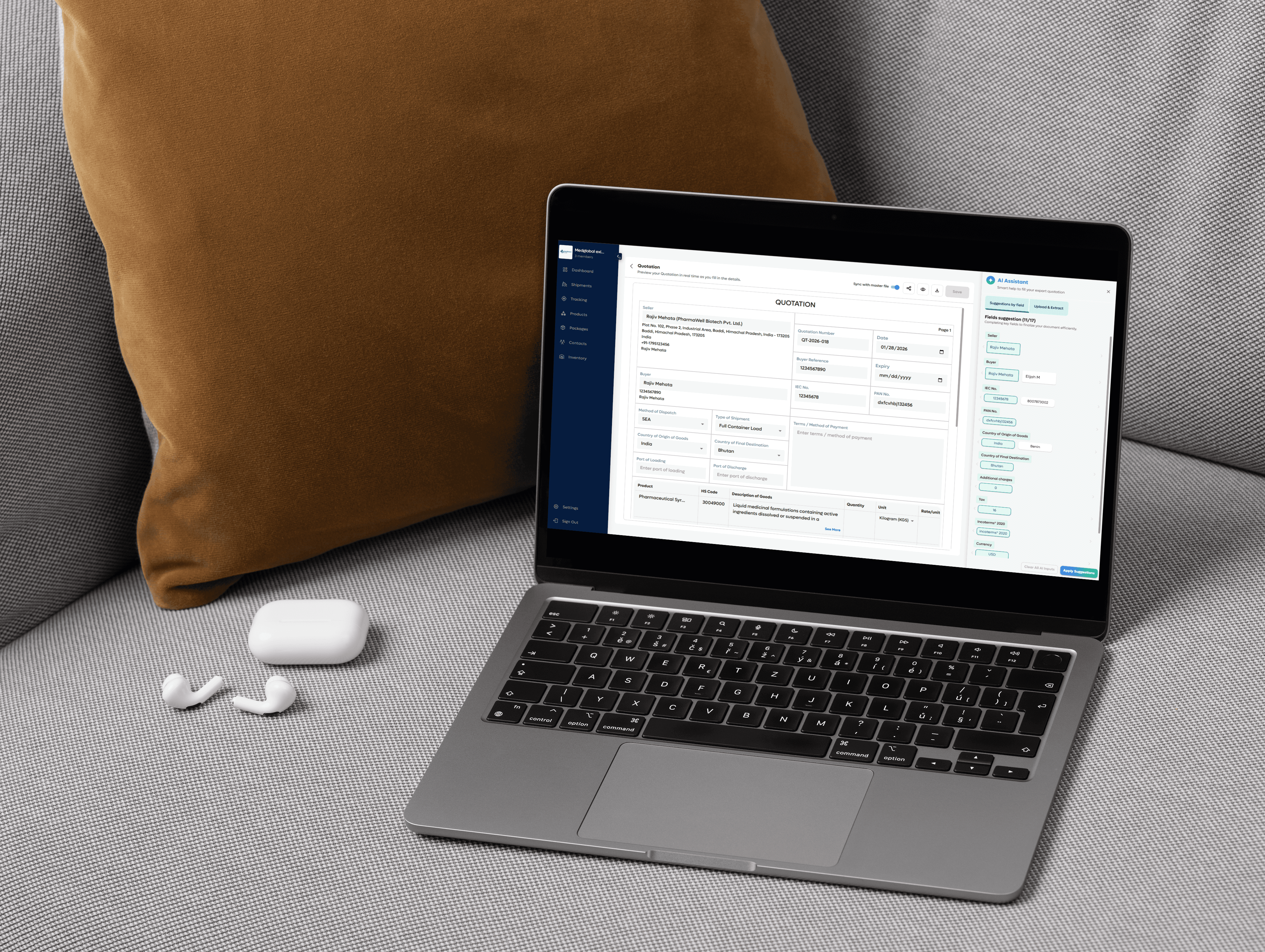
Fill details with AI assistance: Enter basic shipment details such as shipper, consignee, products, quantities, and packaging info.
Freightnaut’s AI Assistant automatically:Suggests and auto-fills fields
Detects missing or inconsistent data
Syncs shipment details across all linked documents, This reduces manual work and prevents re-entry errors.
Customize & brand your document: Edit fields as needed and add your company letterhead and branding.
Changes made in the main shipment details instantly reflect across all related documents.Sign & seal digitally: Add a digital signature and company seal directly within Freightnaut.
No printing or scanning required everything stays compliant and professional.Download or share instantly: Download the Packing List in PDF or CSV format, or share it securely with clients, partners, or internal teams in just one click.
Your questions, answered
What information is included on a Packing List document?
It’s important that exporters include complete and accurate information on the Packing List to avoid delays during customs clearance and delivery. In Freightnaut, the Packing List covers all essential shipment details, with AI helping ensure nothing is missed.
Typically, a Packing List includes:
Exporter’s details
This includes basic company information such as:
Company name and logo
Registered address
Phone number and contact details
Company registration numbers (if required)
You can save these details in Freightnaut so they are automatically reused across future documents.
Consignee & buyer details (if different)
Includes:
Company name
Address
Phone number
Contact person details
Freightnaut’s AI can auto-fill these fields from saved contacts or previous shipments.
Shipping details
These details help logistics providers, customs brokers, and consignees manage transport and clearance efficiently. Shipping details include:
Method of dispatch – Road, Rail, Air, or Sea
Type of shipment – FCL, LCL, Breakbulk, or others
Country of origin
Country of final destination
Vessel or aircraft name
Voyage number
Port of loading (POL)
Date of departure
Port of discharge (POD)
Final delivery destination
AI assistance helps validate shipping data and flags inconsistencies before submission.
Reference numbers & additional information
This section includes:
Export invoice number
Date
Bill of lading number (if available)
Buyer reference number (usually the purchase order number)
Additional references (if required)
Packing notes or delivery instructions
Product & packaging details
This section explains exactly how goods are packed and loaded. Freightnaut allows flexible packing structures depending on shipment type.
Details include:
Product code (unique identifier)
Description of goods
Unit quantity
Kind & number of packages (e.g., Pallet × 12)
Net weight (kg)
Gross weight (kg)
Package measurements (m³)
Freightnaut’s AI helps calculate totals and ensures packaging data matches invoice and shipment details.
Authorized signature
To finalize the document, exporters can add:
Signatory company name
Authorized signatory name
Digital signature (drawn or uploaded)
Digital company stamp or seal
All signatures and seals are applied securely within Freightnaut—no printing or scanning required.
Who uses a Packing List?
A Packing List is used by multiple parties involved in international shipping:
Exporters and sellers – To declare shipment contents for customs and buyers
Importers and buyers – To verify received goods against orders and invoices
Shipping companies & freight forwarders – To plan transport and cargo handling
Customs authorities – To inspect shipments and assess duties
Insurance companies – To evaluate risk and coverage
Warehouse managers & logistics providers – For handling, storage, and inventory planning
What other documents accompany a Packing List?
A Packing List is usually shared with other export documents, including:
Commercial invoice – Shows transaction value and trade terms
Bill of lading – Issued by the carrier to confirm receipt and transport of goods
Certificate of origin – Confirms the manufacturing country of goods, if required
Freightnaut allows you to create and manage all these documents in one connected workflow.
What’s the difference between a Packing List and a Bill of Lading?
A Bill of Lading is issued by the carrier and confirms receipt of goods for transport. It also serves as a document of title and outlines delivery terms.
A Packing List is used for identification and inspection, detailing how goods are packed inside the shipment.
Both documents are essential but serve different purposes in the shipping process.
Can I reuse the same Packing List for repeat shipments?
You can reuse the template, but each shipment requires an updated Packing List. Quantities, weights, packaging, and shipment details must always reflect the actual cargo.
Freightnaut allows you to duplicate previous Packing Lists and update only the changed details—saving time while ensuring compliance.
Is this Packing List template available for free?
Yes. Freightnaut provides access to a Packing List template with AI assistance, allowing you to create, edit, and download export documents easily.
Simply sign up to start generating accurate shipping paperwork with fewer errors.