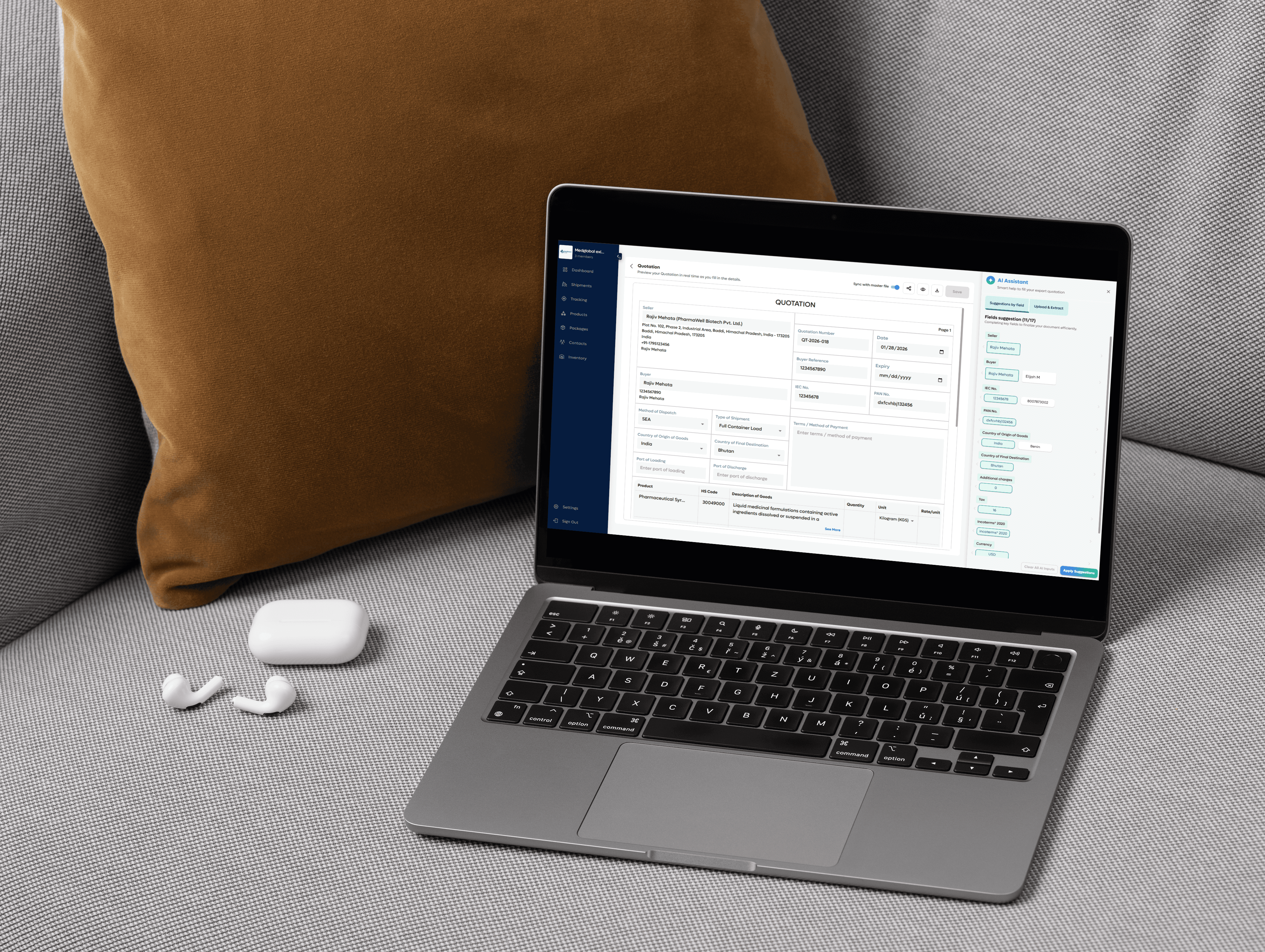
Certificate of Origin Template
A Certificate of Origin is a document that shows where the goods were made. It includes a signed declaration from the exporter. A chamber of commerce or authorized body usually certifies it. The form lists the product, origin criteria, and an official stamp or signature.
What is a Certificate of Origin used for?
The purpose of a Certificate of Origin is to prove where goods were manufactured. It allows customs to check if a shipment qualifies for preferential tariff treatment or if import restrictions apply.
This document is used by freight forwarders, customs brokers, and border officials during clearance. It helps verify that the goods meet trade agreement rules set by the destination country. Some banks may also request a certified copy before releasing payment under a letter of credit. To avoid delays or higher tariffs, the certificate must be filled out correctly and approved by an authorised body.

How to Create a Certificate of Origin in Freightnaut
Open Freightnaut: Log in to Freightnaut in your browser and go to the Shipment section from the dashboard.
Choose the Certificate of Origin: Click Create New Shipment and select Certificate of Origin from the list of export document templates. You can also add other related export documents in the same set.
Fill out & customize with AI assistance: Enter shipment and product details such as exporter, consignee, country of origin and goods description.
Freightnaut’s AI Assistant helps by:
Auto-filling fields from saved shipment data
Syncing details across all documents in the set
Flagging missing or inconsistent information
You can also customize fields and add your company letterhead and branding.
Sign & seal digitally: Click the signature field to add a digital signature, then save the document. From the document preview screen, apply your digital company seal or stamp in one click no printing or scanning needed.
Download or share instantly: Download or share the Certificate of Origin in PDF or CSV format with a single click.
Documents can be easily shared with buyers, banks, or customs brokers, or imported into other systems without manual re-entry.
Your questions, answered
How do you obtain a Certificate of Origin from a Chamber of Commerce?
In most countries, Certificates of Origin (COs) are issued by a Chamber of Commerce or an authorized certifying body. Exporters complete the CO form and submit it to their local chamber for verification.
Some chambers still process paper-based certificates with physical stamps and signatures, while others issue digitally certified PDF documents.
When a trade agreement exists between the exporting and importing countries, the Certificate of Origin must comply with specific rules of origin.
For example, under USMCA, exporters submit a USMCA Certificate of Origin when shipping goods between the U.S., Canada, and Mexico.
Examples of chambers that issue Certificates of Origin include:
American Chamber of Commerce
British Chamber of Commerce
Hispanic Chamber of Commerce
Indian Chamber of Commerce
Canadian Chamber of Commerce
Freightnaut helps exporters prepare CO documents accurately before submission, reducing back-and-forth with certifying authorities.
What information is included on a Certificate of Origin document?
A Certificate of Origin or Declaration of Origin typically includes:
Exporter (shipper) name, address, and contact details
Consignee name, address, and contact details
Port of loading (POL), port of discharge (POD), and final destination
Vessel name, voyage number, and date of departure
Certificate number
Exporter’s reference
Letter of credit details (if required)
Third-party details (if applicable)
Product details, including:
Shipping marks and numbers
Number and kind of packages
Description of goods
HS code / tariff code
Gross weight
Statement declaring the country of origin of goods
Name, date, and signature of the authorized representative
Freightnaut’s AI assistance helps validate these fields and ensures consistency across related export documents.
Can I import goods without a Certificate of Origin?
Yes, goods can be imported without a Certificate of Origin. However, without it, customs authorities cannot verify the origin of the goods.
This becomes critical when a free trade agreement or preferential tariff scheme applies. Without a valid Certificate of Origin:
Goods may not qualify for reduced or zero tariffs
Full duty rates may be charged
Clearance may take longer
Providing a Certificate of Origin ensures your shipment can benefit from applicable trade agreements.
Who provides and signs the Certificate of Origin?
The Certificate of Origin is usually prepared by the exporter. In some cases, the manufacturer may prepare it if they hold all shipment details.
The exporter or an authorized representative signs the certificate to confirm that the goods originate from the declared country.
If a freight forwarder or customs agent handles the export, they may complete and sign the certificate with written authorization.
The signed document is then submitted to a chamber of commerce or certifying authority for verification.
Can a Certificate of Origin be amended after submission?
Yes, amendments are possible after a Certificate of Origin has been issued.
To make corrections, exporters must contact the issuing chamber or certifying body and submit:
The original certificate
A corrected version
A written explanation of the error
Supporting documents such as the commercial invoice, packing list, or export declaration may also be required.
Any amendments must comply with the importing country’s regulations and the applicable trade agreement rules.
If the correction affects the origin status, additional documentation may be requested.
What are common mistakes when filling out a Certificate of Origin?
Some of the most common errors include:
Incorrect exporter or consignee details
Wrong HS code or tariff classification
Vague or unclear product descriptions
Incorrect or missing country of origin
Missing signatures
Leaving out key shipment details such as date, quantity, or transport information
Even small errors can lead to customs delays, rejected certificates, or additional duties. Freightnaut helps reduce these risks by flagging missing or inconsistent data before submission.
What types of products require a Certificate of Origin?
Whether a Certificate of Origin is required depends on the product type, destination country, and trade agreement in place.
Common product categories that often require certification include:
Manufactured goods – To confirm production origin under FTAs
Agricultural products – For biosecurity, sanitary, and origin checks
Textiles and garments – To qualify for tariff preferences or quotas
Electronics and vehicles – To meet origin rules under bilateral or regional trade agreements
Exporters should always verify origin requirements before shipping, as this can impact duties, compliance, and clearance speed.
Is this Certificate of Origin template free?
Yes. Freightnaut provides access to a Certificate of Origin template that you can complete digitally, sign, and reuse alongside other export documents.
The template is designed to meet international trade requirements while simplifying document preparation and reducing manual errors.